Help /
akun /
How to use Family Account feature
Before using the Family Account feature, you need to create a family group first.
How to create a family group
- Open the Gojek app and go to My Profile, then select Family Account.
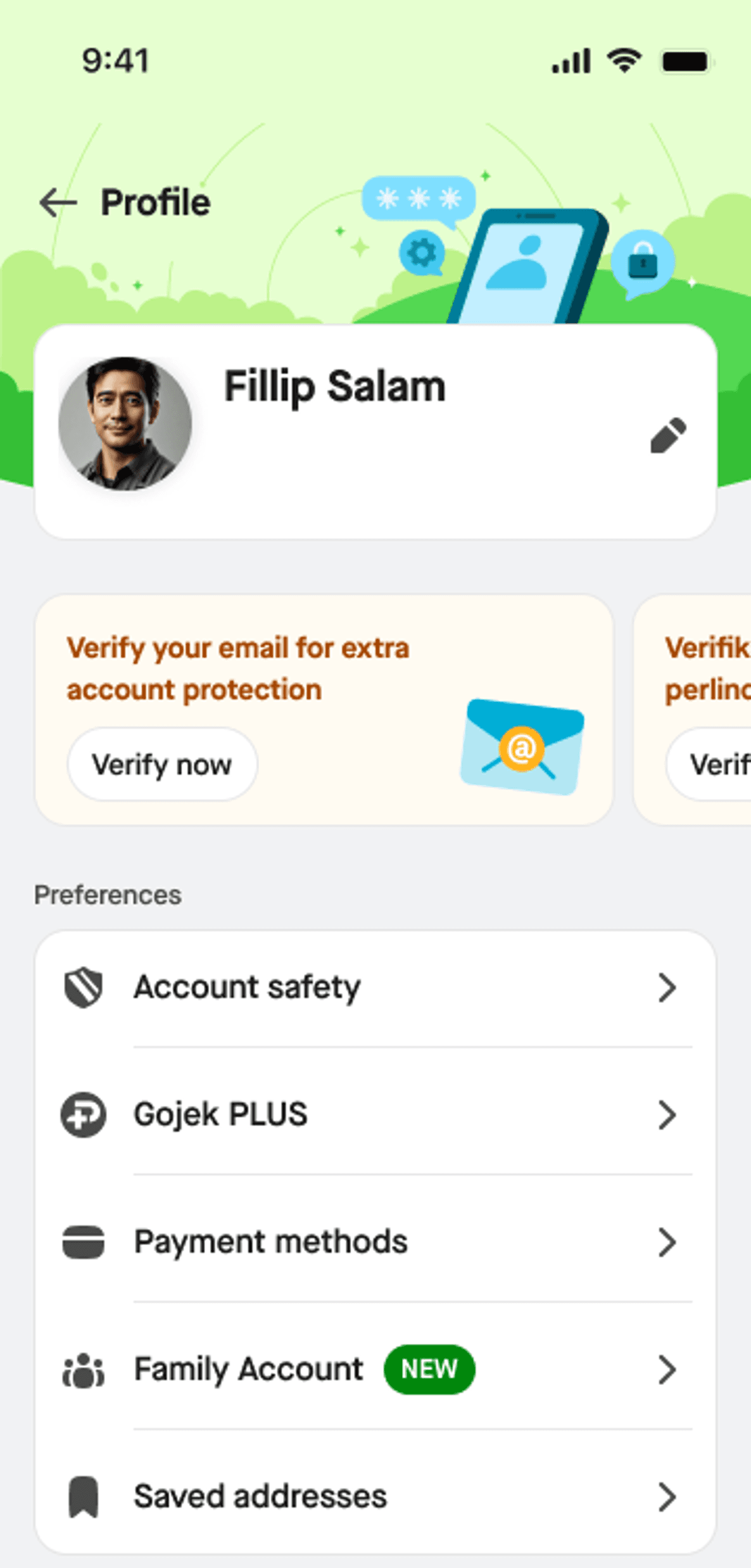
- Tap Create Family Account, enter your preferred group name, and save it.
- On the Family Account page, choose either Ask to join via link or Ask to join by invitation.
- If you choose Ask to join by invitation, simply select the contacts you would like to add to your family group.
- If you choose Ask to join via link, the invited person will receive a link through WhatsApp or another messaging app.
Once your group has been created, you can start using Family Account to book GoRide for your family members.
Booking steps for admin:
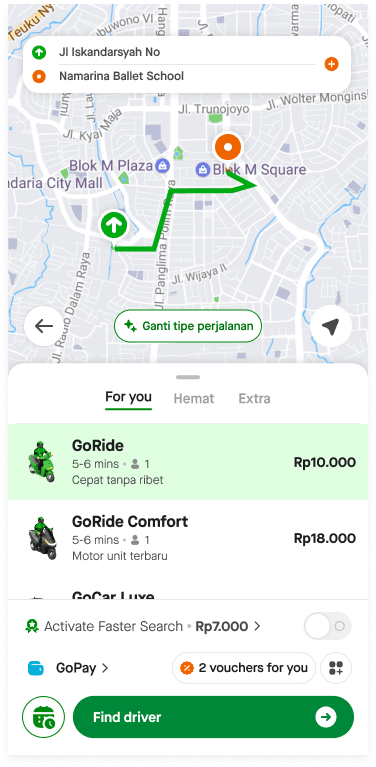
- Select GoRide from the Gojek home page
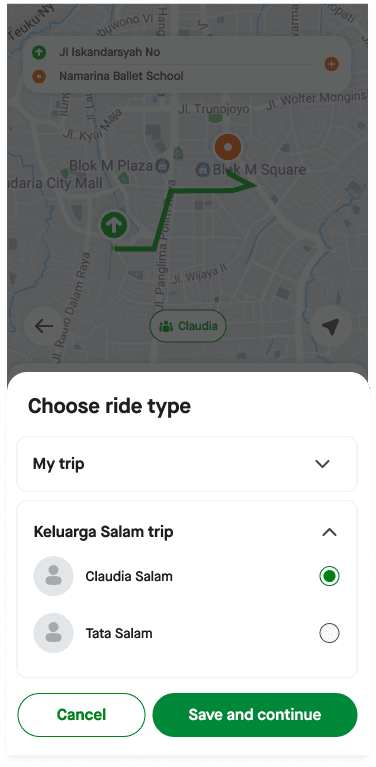
- On the booking page, tap button on the maps to change the ride type (for family or personal).
- Select the family member who will be taking the ride, then tap Save and Continue.
- Complete the booking process as usual.
Booking steps for member:
- Select GoRide from the Gojek home page
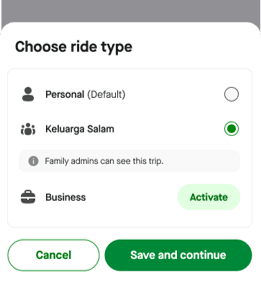
- On the booking page, tap button on the maps to change the ride type (family account or personal).
- Select Family group, the click "Save and continue"
- Complete the booking process as usual.
Can I book multiple trips at the same time?
Yes, you can. If you're the Family Account admin, you can book trips for yourself and your family members at the same time.